Web Administration
QS Verification
Quantity Surveyor sign-off: reviewing submitted field installations, verifying accurate work for billing, and rejecting defective submissions back to the field.
Pending Verifications
The QS work queue for submitted installations.
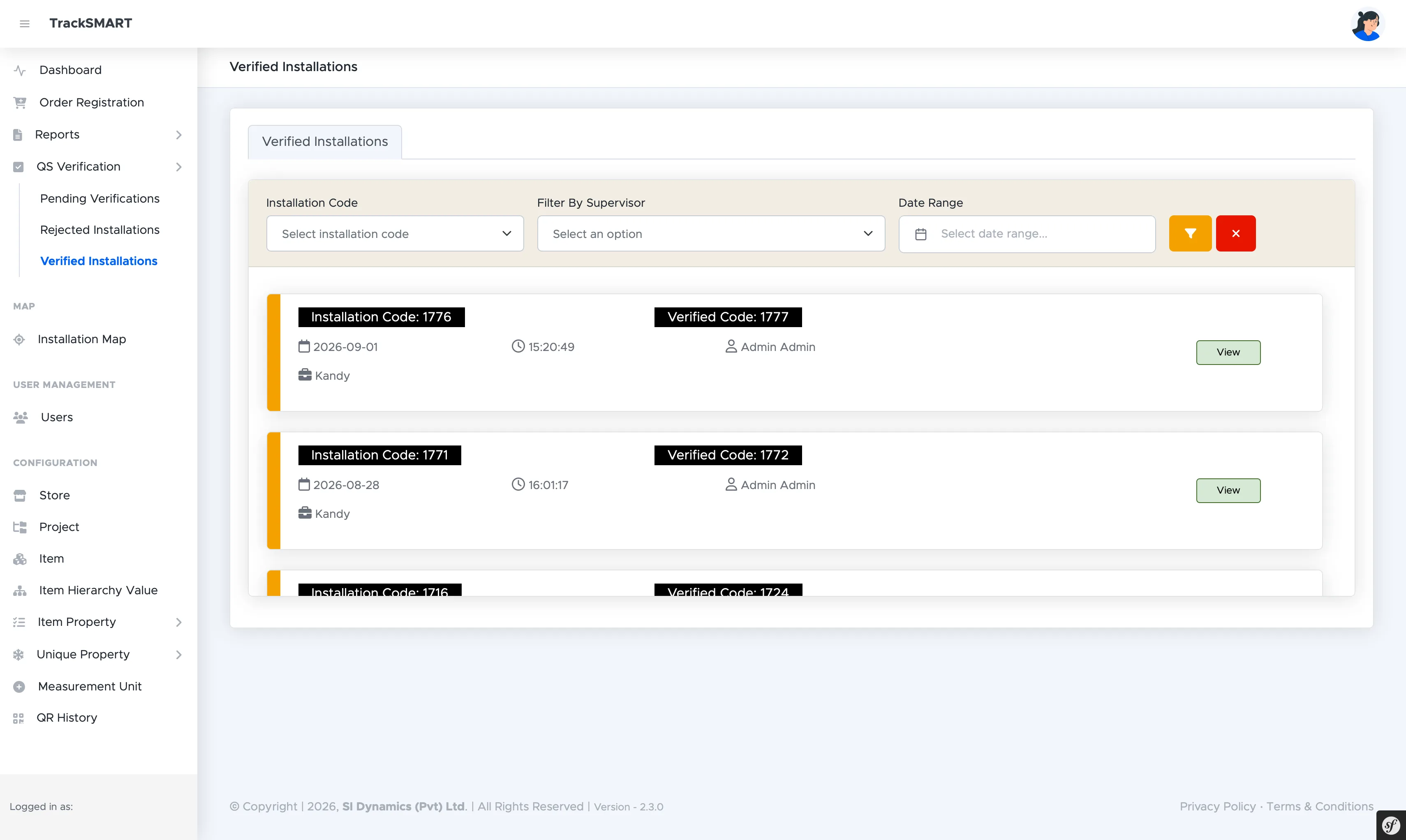
Every supervisor installation synced from mobile lands here under QS Verification > Pending Verifications. Filter the queue by Installation Code, Supervisor, or Date Range, then open any Installation Code card — showing date, time, supervisor, and project — with Verify Now to inspect measurements, photos, and GPS evidence before deciding.
Rejected Installations
Defective work sent back with reasons.
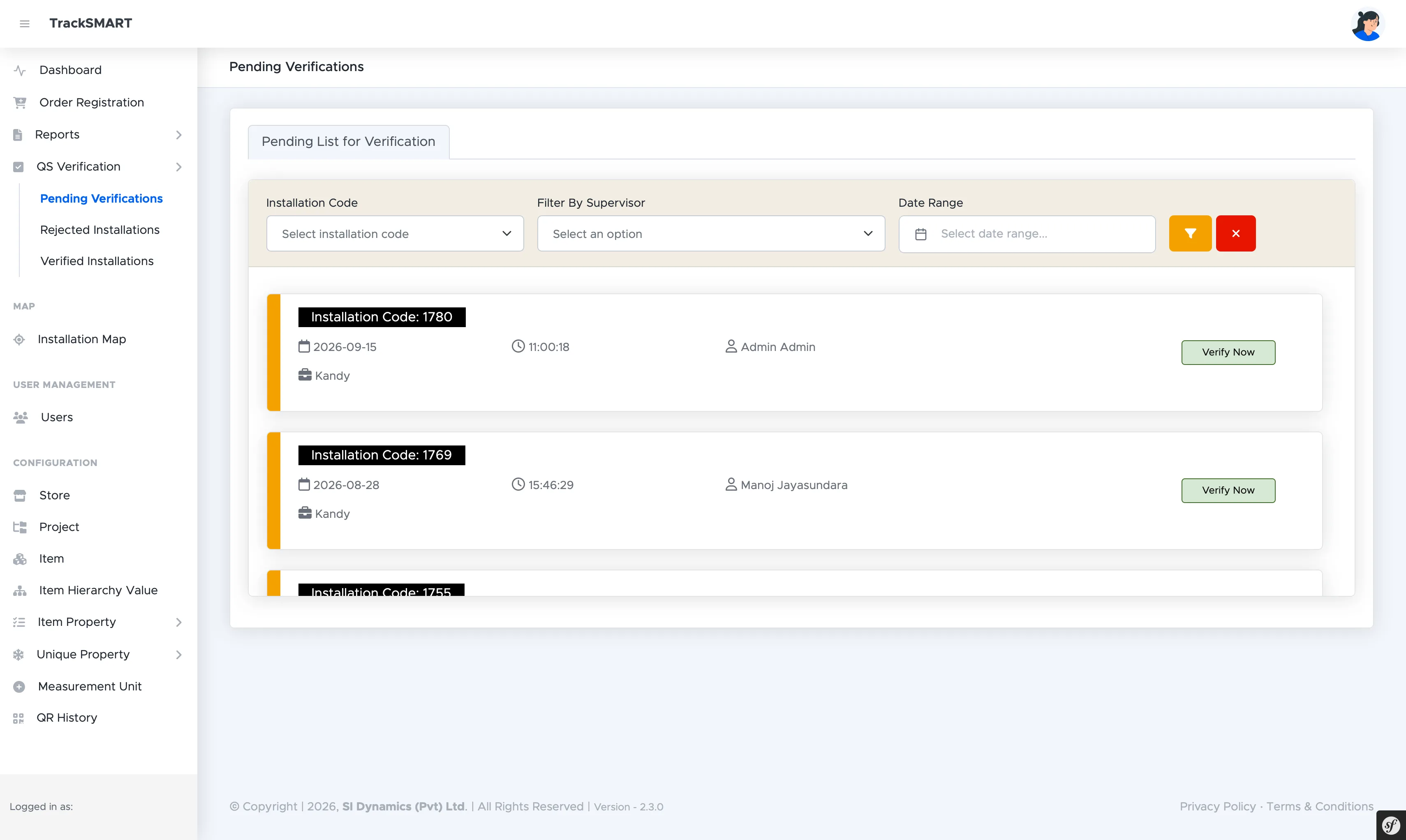
Installations that fail inspection move to Rejected Installations. Each card pairs the original Installation Code with its Rejected Code, supervisor, and timestamp. Opening a card via View reveals the QS rejection reason so the field crew knows exactly what to rectify and resubmit.
Verified Installations
Certified work ready for progress billing.
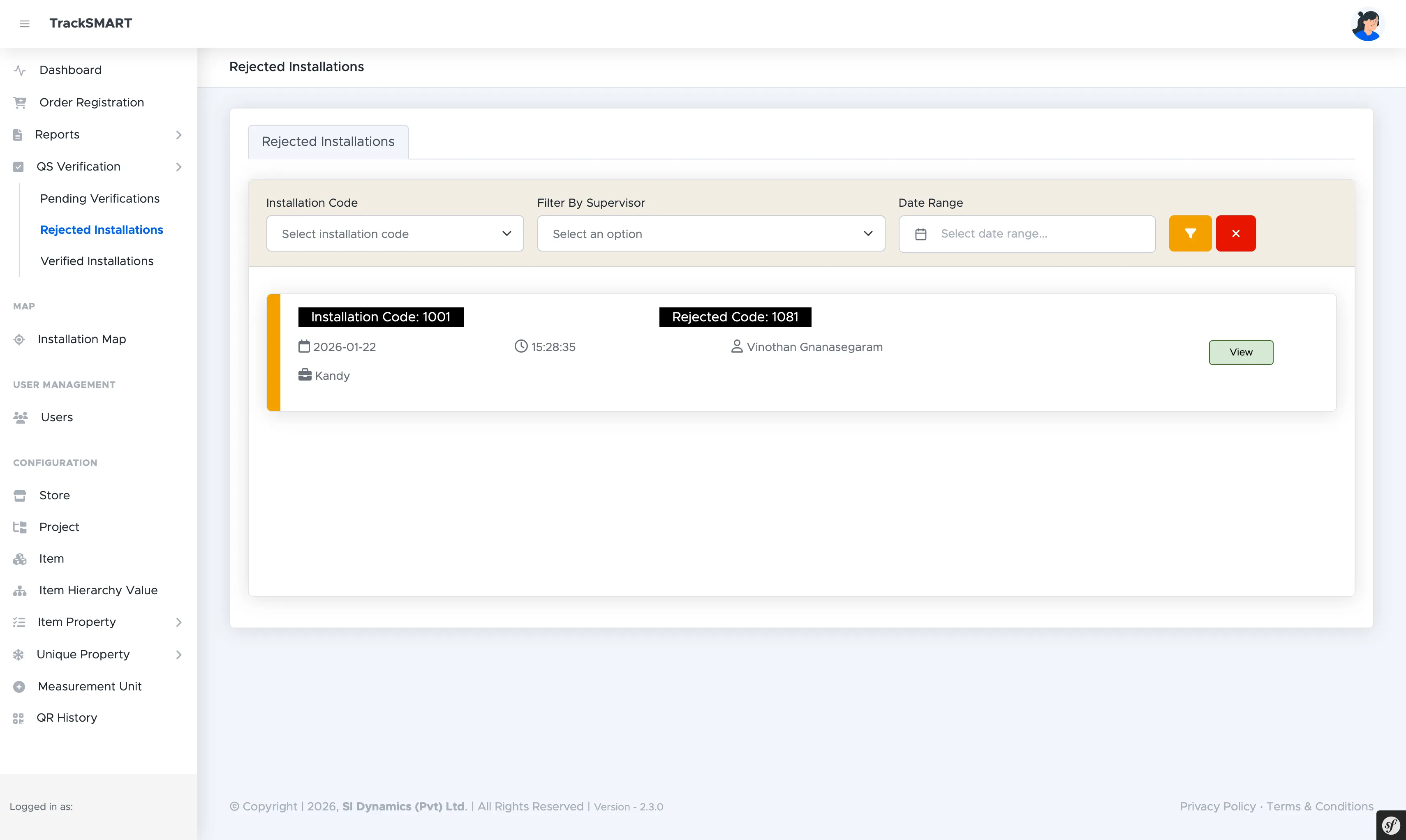
Approved work lands in Verified Installations, pairing each Installation Code with its Verified Code. These records are the certified source of truth for Quantity Surveyor sign-off, measurement, and progress payment claims.